
Pay Invoice
Pay your Roome Land Surveying invoice
Use this page for invoice-related payments. If you have questions about your invoice or need assistance before paying, contact our team.
Pay by Zelle
Scan this code in your banking app to pay us with Zelle.
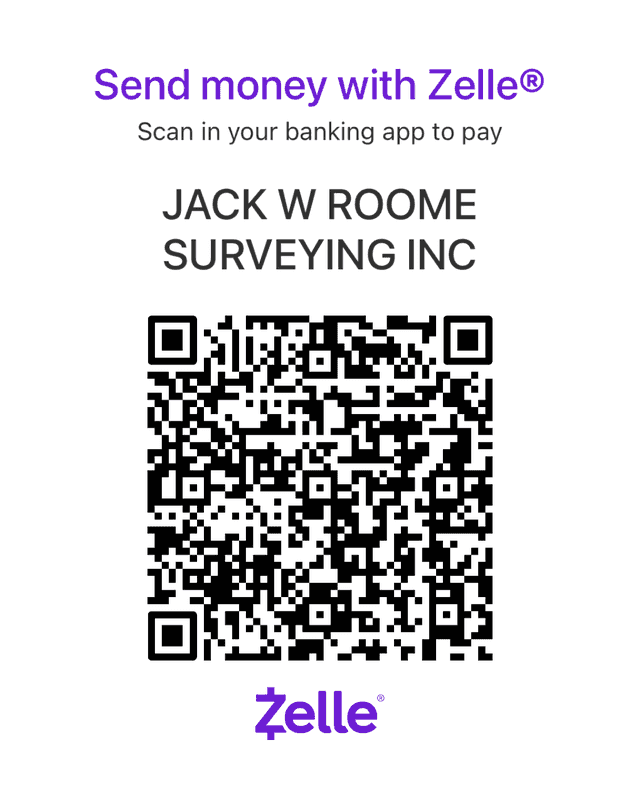
Paying from your phone? In your banking app's Zelle option, send to:
Before you send, check that the recipient shows as Jack W Roome Surveying Inc, our legal name, and include your invoice number in the memo.
Zelle payments can't be reversed
Once sent, a Zelle payment can't be canceled or reversed, so check the amount and the recipient before you send. A payment sent in error can only be returned as a refund from us, back to the account it came from. Contact billing@roomeinc.com if that happens.
Pay online with a BILL payment link
We use the BILL™ payment platform (formerly Bill.com) to process invoice payments securely. To pay online, email us your invoice number and you will receive a payment link to pay your invoice directly. You can pay by ACH bank transfer or by card, with no added fee.
The button opens an email to order@roomeinc.com with spaces for your invoice number(s), the name on the invoice, and the project address. If no email opens, send those details to order@roomeinc.com.
Your payment link will come by email from account-services@inform.bill.com. If you don't see it, check your spam or junk folder.
Pay by check
Checks can be mailed to our mailing address or brought to our office. Please include your invoice number on the memo line or a copy of your invoice.
Mailing Address
Roome Land SurveyingP.O. Box 941647
Plano, TX 75094
Physical Address
Roome Land Surveying1255 W. 15th Street, Suite 100
Plano, TX 75075
Mon–Fri, 8 AM – 5 PM
BILL and the BILL logo are trademarks belonging to BILL Operations, LLC. Zelle and the Zelle related marks are wholly owned by Early Warning Services, LLC.
Reach Out
Need help with billing?
If you need help locating an invoice, confirming payment details, or resolving a billing question, reach out directly.
Before you pay
- Have your invoice number available
- Confirm the billing amount
- Contact us if anything looks incorrect